


Fall Sale
Shop up to 40% off
Ski & Snowboard Gear On Sale
Shop up to 40% off
Spend $200, Get $30 Cash Back
Summit+ only | Shop kids'
Edge 200
Out of Stock
Don't worry though, we have a lot more Bike GPS & Computers in stock than that.
Shop Similar ProductsEdge 200
Training with GPS just got easier. This is what makes the Garmin Edge 200 so alluring. It uses cutting edge tech to allow you to pretty much just turn on the computer and go, which should make it as popular with technophobes as it will be with technophiles.
There is no transmitter to mount on your fork or stays. There are no magnets. There is no heart rate monitor. So long as you're moving and the 200 has found satellites, you'll have speed. So long as you have the timer running, you have a recording cycling computer and GPS unit. This way, you know what you're doing now, and you can save it for later. The 200 can be uploaded into Garmin's native Training Center application and Connect training and social media website. The 200 can be uploaded into Map My Ride, Strava, Training Peaks, and WKO+ as well -- anything that can read a .fit file.
The 200 probably looks familiar to you. It should. The case has the same exact dimensions as the popular and more expensive Garmin Edge 500, though since we're talking simple, the takeaway should be that it is small enough to sit 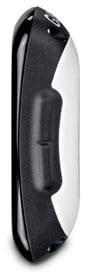 unobtrusively atop your stem or handlebars. Like the 500, it also has four buttons in the same layout and the same simple, transferable, mounting system. It's a bit shinier, has fewer features, and can't be upgraded to pick up ANT+ signals from a heart rate monitor transmitter, a speed transmitter, or a power transmitter. If you ride a stationary trainer, the only metric that will work is time.
But because it is stripped down, you have a unit that is not only a great price, but is incredibly simple and straightforward. There is one live data screen that can't be customized (aka can't messed up by an inquisitive friend or kid). On it you will see speed at the top, then distance, then time, and a bottom readout that can toggle between average speed, total ascent and calories. There is a setup screen that gives you four choices: courses, ride, history, and settings. You can recall previous rides to compete against previous rides or just retrace the ride, and you can have the unit direct you back to the start of the ride if you find yourself getting lost on the way. You can also set intervals for time, distance, or location and have the 200 tell you how far you have to go.
As simple as it is, there are some extra features built in for those who want a little more. If you input your body data, the 200 will use an algorithm to roughly compute how many calories you're burning on the ride. If you have an account with Garmin Connect (it's free), you can create or download courses and then put those on the 200 so you can ride them.
The Garmin Edge 200 comes in a box with the unit itself, two bike mounts, an alternating current charger, a USB cable for both connecting to a computer and to power, and user manuals. The unit is 1.9in long by 2.7in wide and 0.8in thick (4.8 x 6.9 x 2.1 cm), with a screen size of 1.2in by 1.4in (3.0 x 3.7 cm). There is a backlight for night and low-light riding. The unit stores up to 130 hours of ride data. The battery should burn for up to 14 hours between charges. The color is Black.
Details
- Item #GRM2996
- Altimeter
- yes
- Heart Rate Monitor
- no
- Chronograph
- yes
- Cadence
- no
- Mount Type
- handlebar, stem
- Battery Type
- Lithium ion
- Recommended Use
- training, getting the most out of your ride
- Manufacturer Warranty
- 1 year